Sip Happens
Helping children build healthy hydration habits through positive routines and friendly companions.
Available on iPhone, iPad and Apple Watch.
A gentle routine, in four small steps.
Choose a Buddy
Pick a friendly companion and give it a name of your own.
Log drinks with a quick tap
A small sip or a big sip, whatever they just drank, in one tap.
Help your Buddy fill their bowl
Each sip fills the day's bowl: a small, friendly goal to share.
Build healthy routines over time
Small, positive moments add up to a habit that lasts.
Built for trust, from the first tap.
Sip Happens is a calm, positive companion, never a tracker. Parents stay in control, and there's nothing competing for a child's attention.
One subscription. Every child. Every Buddy.
Family+ is the easiest way to give every child in your family their own Sip Happens experience. Every child gets their own Buddy, their own goal, their own reminders and their own progress, and can log from their own Apple Watch. Their progress stays private on their own device.
An optional subscription. Billing is managed by Apple.
Different on the outside. The same friend underneath.
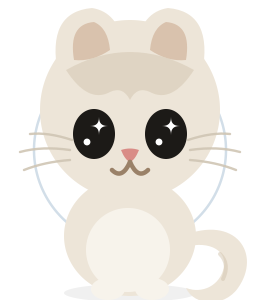
Cat
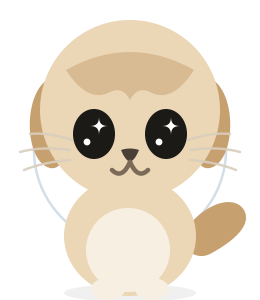
Dog
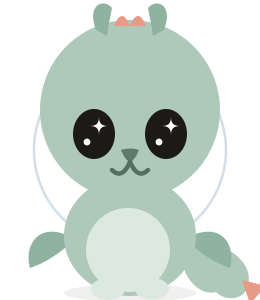
Dragon
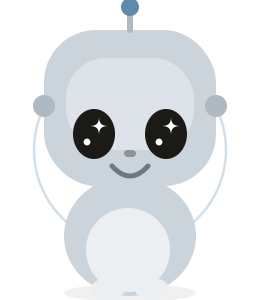
Robot
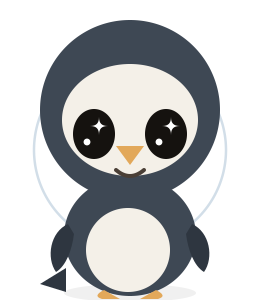
Penguin
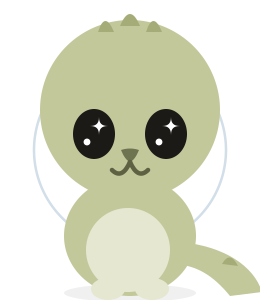
Dinosaur
Every child picks one Buddy, names it, and helps it fill its bowl. Cat and Dog are always included; Family+ adds Dragon, Robot, Penguin and Dinosaur.
Which Apple ID? It's simpler than you think.
This is the question we hear most. Here is the whole answer: for the simplest experience, buy Sip Happens using the Apple ID on the device your child will use. Don't worry if this sounds confusing. Most families only need to follow this one rule. Here it is with two families.
Dragon
Robot
Penguin
Dinosaur
+ Cat & Dog
One child
Family has one child, Will. Will has his own iPhone and his own Apple ID. Family buys Sip Happens on Will's iPhone, using Will's Apple ID. Will uses it every day, and Family sets Will's Buddy, hydration goal and reminders in Adult Mode on Will's device.
Three children
Family has three children: Will, McKenzie and Archer. Each has their own Apple ID. Family buys Family+ once. Apple Family Sharing automatically shares the Family+ subscription with every family member, and each child installs Sip Happens using their own Apple ID. Every child gets their own Buddy, their own hydration goal, their own reminders, their own progress and Apple Watch support.
No Apple ID for your child yet? Buy Sip Happens on the device they'll use with your Apple ID. You can move it to their own Apple ID later.
| Feature | One child | Family+ |
|---|---|---|
| Child profiles | 1 | Up to 5 |
| Buddies | Cat & Dog | All Buddies |
| Works with your child's own Apple ID | ✓ | ✓ |
| Premium Buddies (Dragon, Robot, Penguin, Dinosaur) | – | ✓ |
| Apple Watch support | ✓ | ✓ |
| Adult Mode controls | ✓ | ✓ |
| Individual progress, kept private | ✓ | ✓ |
| Apple Family Sharing | – | ✓ |
| Bought once for the whole family | – | ✓ |
| Billing | One-time purchase | Yearly subscription |
Either way, each child's progress stays private on their own device.
If you're not sure which option is right for your family, contact us before purchasing. We'll help you choose the simplest setup.
Getting Sip Happens to your family.
Install it on your child's device
Download Sip Happens on the device your child uses, with their Apple ID.
You're set for one child
The one-child purchase includes one profile, so a single child is ready to go.
Add more children with Family+
Family+ adds up to 5 profiles and the Premium Buddies, shared through Apple Family Sharing.
Set it up in Adult Mode
Choose the Buddy, goal and reminders in Adult Mode. It takes a minute, and you can change it anytime.
Answers before you buy.
Which Apple ID should I buy Sip Happens with?
For the simplest experience, buy it using the Apple ID on the device your child will use. If your child has their own iPhone and Apple ID, buy it on their iPhone with their Apple ID.
Do I need Family+?
No. The one-child purchase includes one profile with the Cat and Dog Buddies. Family+ is optional and adds more child profiles, the Premium Buddies and Apple Family Sharing.
Is my child's progress private?
Yes. Each child's progress stays private on their own device. A grown-up sets the goal and reminders in Adult Mode; the sips a child logs are theirs and are never sent to a parent or to us.
Child data belongs to the family.
Sip Happens uses local storage and the user's private iCloud account. We don't operate our own servers for your child's data.